Automatically sync customer data from your SiteDude Booking system to your Acumbamail lists. If you haven’t purchased your newsletter tool yet, you can do so on our Newsletter page.
When a customer schedules an appointment through SiteDude Booking, their contact information is instantly transmitted to your designated Acumbamail email list. This integration works seamlessly with appointments created via SiteDude Booking’s booking forms on your website.
To set up the Acumbamail integration, navigate to the Features & Integrations section within SiteDude Booking. Locate Acumbamail and click “Enable“. Once activated, the card will refresh, displaying a “Set Up” button. Click this button to access the Acumbamail configuration page.
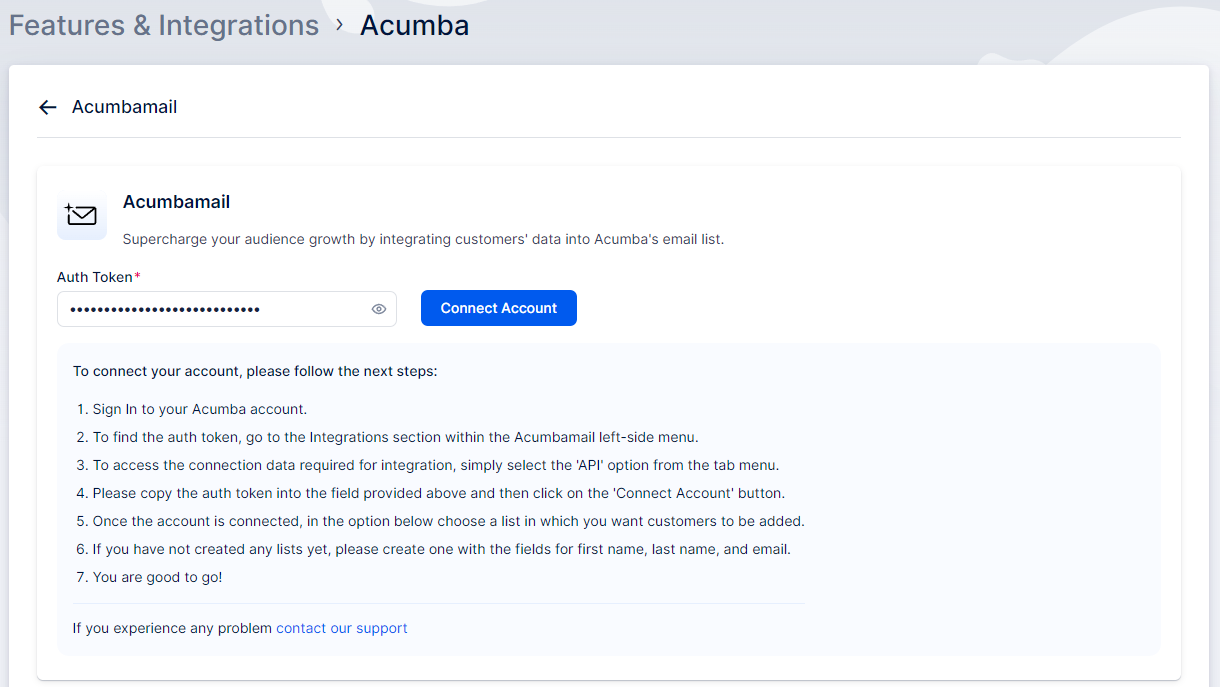
Next, a new page will open with instructions on how to link your Acumbamail account. You’ll need to add the Acumbamail auth token and click “Connect Account” to initiate the setup process.
Now that your Acumbamail account is linked to your SiteDude Booking account, you will see the dropdown menu with lists, as shown in the image below. Ensure you have created the list you want to use in Acumbamail, and then choose the desired list from the dropdown.
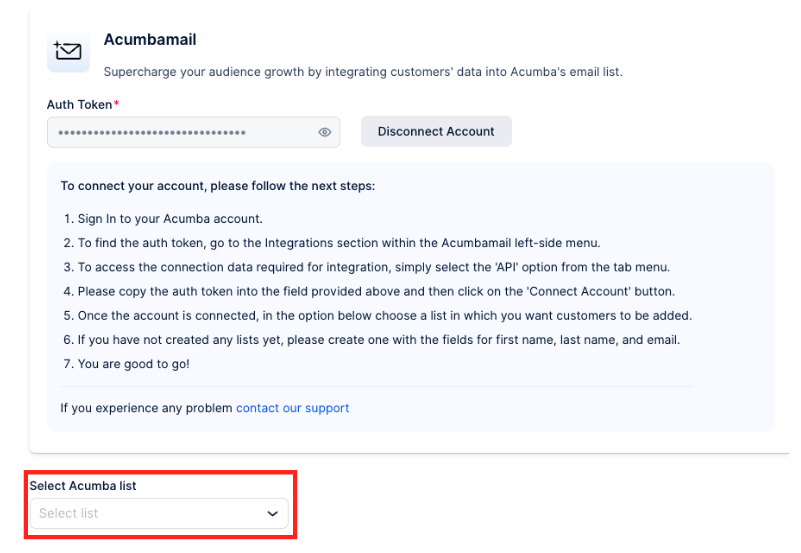
After making your selection, click the ‘Save Changes’ button that appears at the bottom of the page. Your settings are now saved.
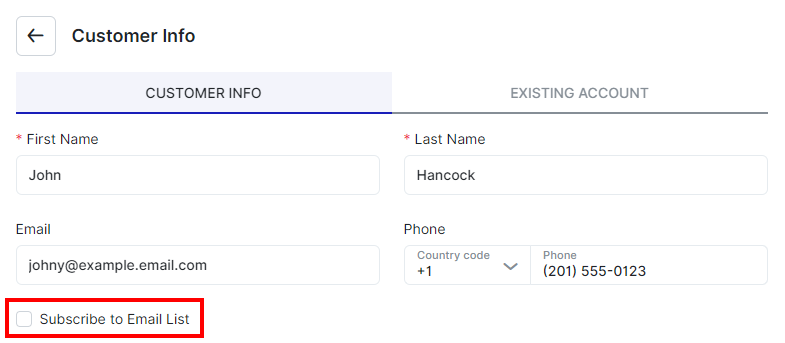
Moving forward, when customers book appointments on your booking website, they will encounter a checkbox option labeled “Subscribe to email list”. If they select this option while booking, their contact details will automatically be added to the list you’ve chosen on your Acumbamail account.