


Google Search Console, formerly known as Google Webmaster Tools, is a powerful free tool provided by Google to assess a website’s index status in Google search and enhance its visibility. In addition to indexing your page, you can monitor and optimize its position. This article will guide you through the process of adding your website to Google Search Console and creating keywords to enhance your website’s ranking.
How to add a website to the Google Search Console #
In order to use Google Search Console, you need to verify ownership of your website by the HTML Tag method. For this, you will need to add custom code to your website.
1. Go to search.google.com/search-console/welcome
2. In „URL prefix“ type your domain and continue.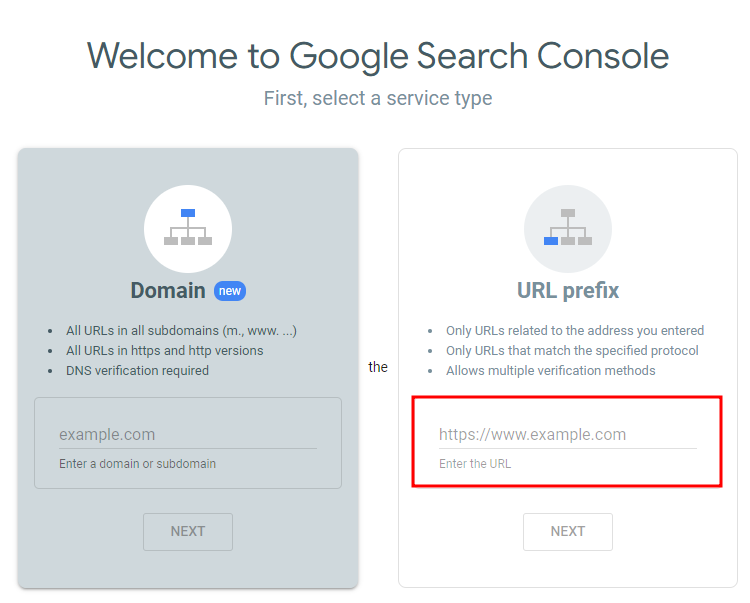
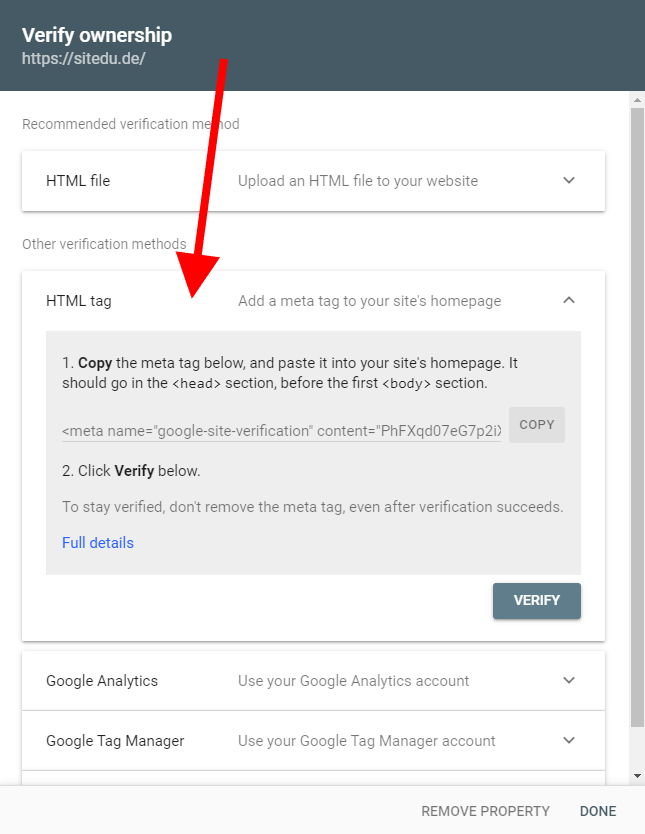
3. In the next step choose „HMTL tag“ as verification method and copy the code generated by Google. Having it on your website will help to verify the ownership of your website and monitor the statistics.
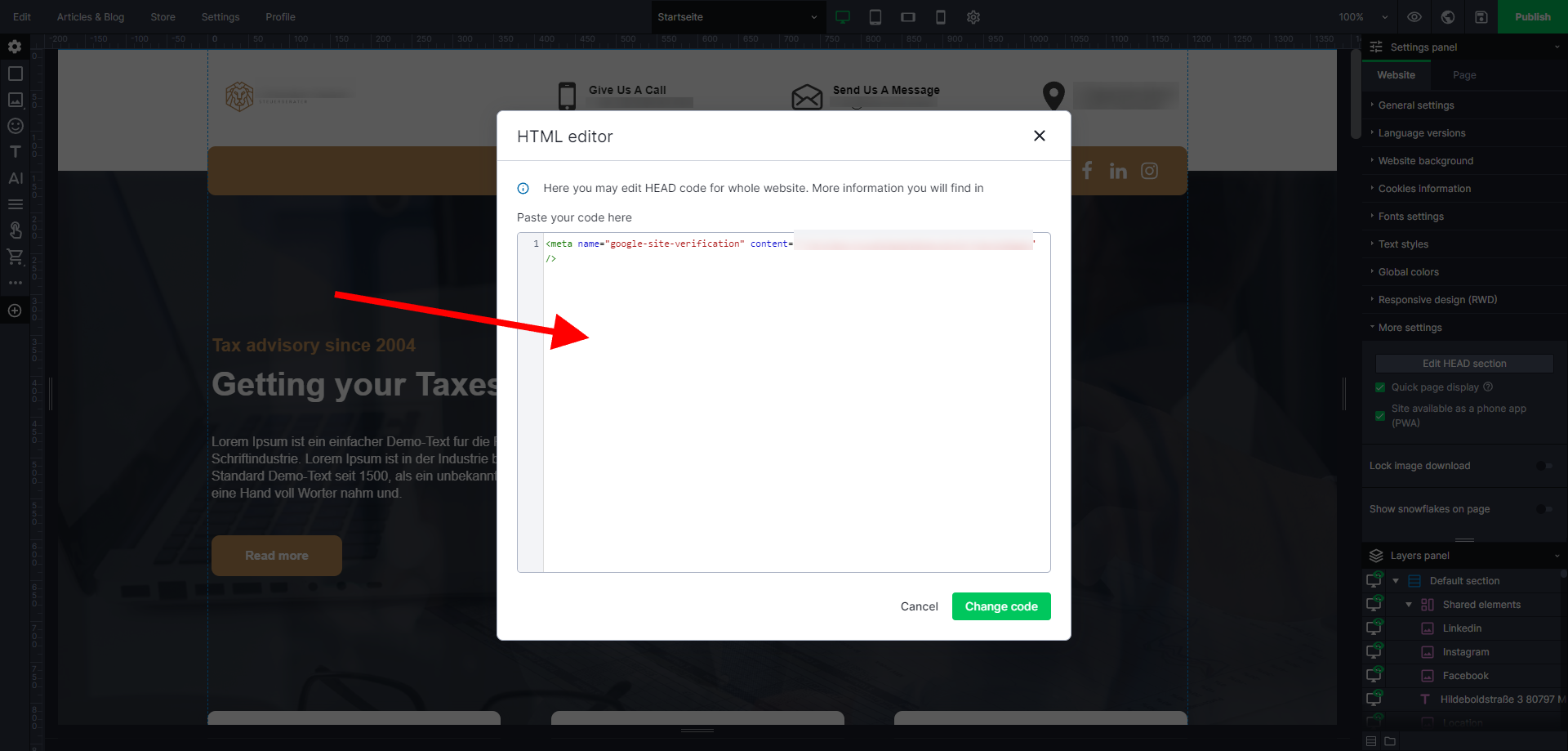
4. Now, head over to your head section in the SiteDu.de builder. You find it in the Settings Panel in the „Website“ tab under „More Settings“. Click here on „Edit Head Section“ and paste the Google code. Don´t forget to publish your website.
5. Go back to Google Search Console and press „VERIFY“ button. It may take a couple of minutes until the changes apply.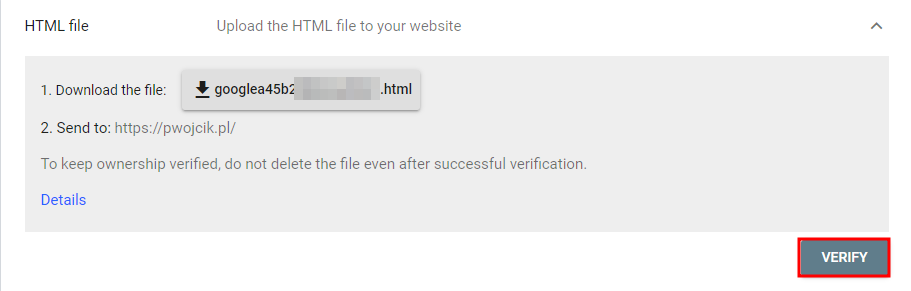
6. If you follow these steps carefully, the verification process will be a success.

Submit your Sitemap To Google #
Now that we have successfully connected the Google Search Console, our work is not yet complete. To ensure that the crawler fully comprehends the content of your website, we need to submit our Sitemap to Google.
This essential file contains a comprehensive list of all the subpages on your website, helping search engines understand the hierarchical structure and content order of your site. By providing this Sitemap, we enable indexing search robots, particularly the mighty Googlebot, to efficiently index your website. Rest assured that every website created using the SiteDu.de builder automatically generates and updates this crucial map.Every website created with the SiteDu.de builder has an automatically generated and updated map.
You can find your map under the following address: http://YourSiteAddress.com/sitemap.xml
1. To add your sitemap, sign in to your Google Search Console account and on the left side select indexing and Sitemaps. 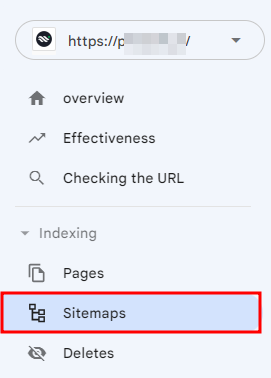
2. In „Add a new sitemap“ section type „sitemap.xml“ and „Submit“*
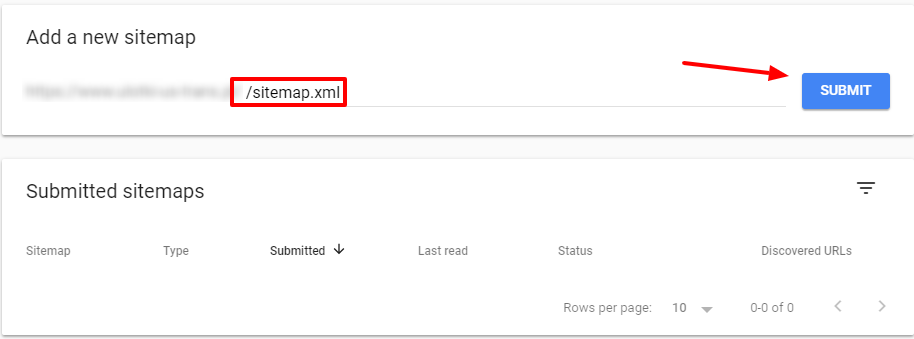
*Attention! If you have a domain with the extension .eu type „sitemap“
Your website’s sitemap is being updated with every site publication. Thanks to that, Google robots will distinguish changes on your website successfully and any newly added subpages.
By the way, you can use these settings to automatically submit your website to Microsoft Bing.


