


Welcome to the Sitedu.de Website Builder, your ultimate tool for creating stunning and professional websites with ease! Our builder is designed with simplicity and user-friendliness in mind, making it perfect for beginners and experts alike.
From Template to your Website #
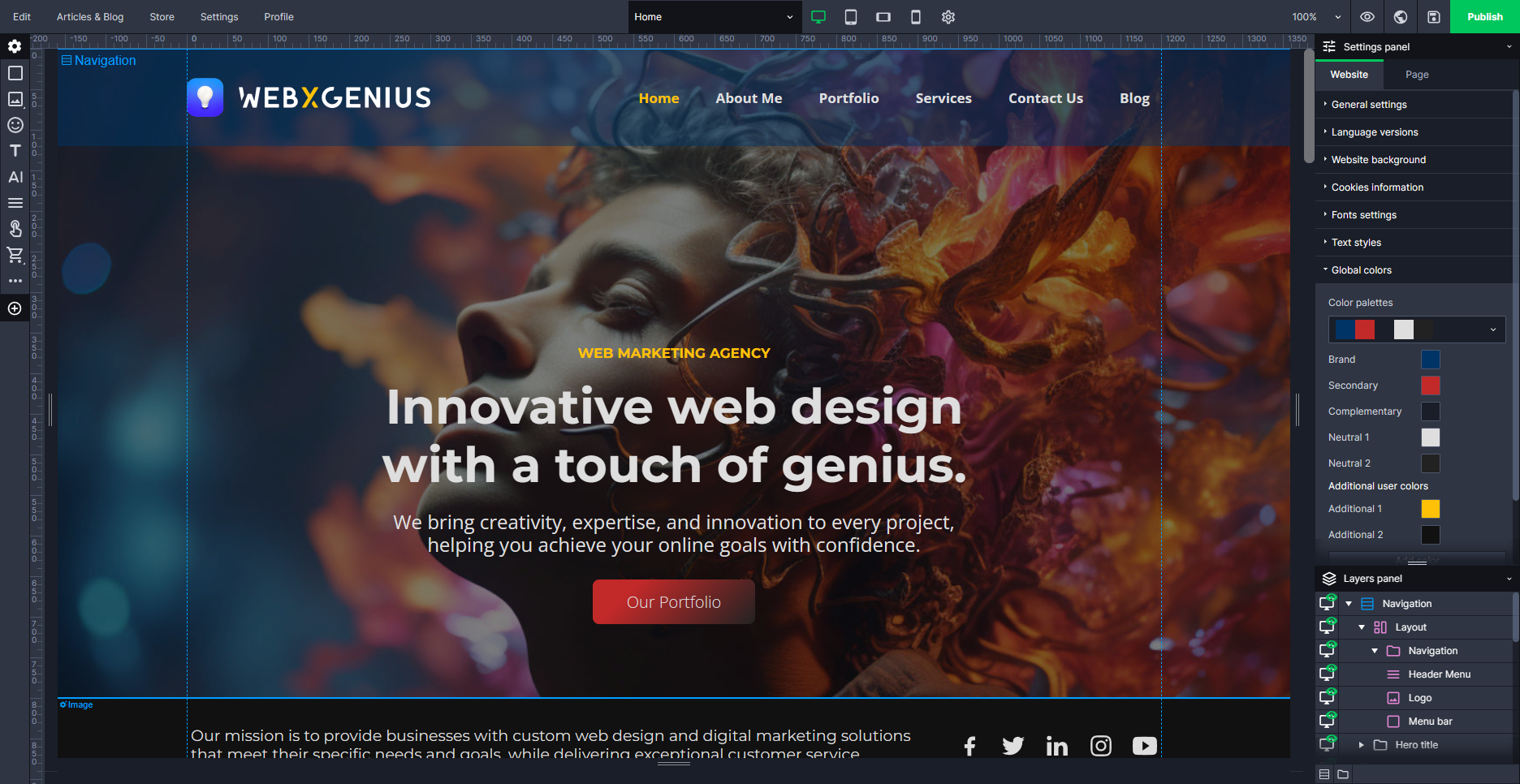
At the heart of our builder are pre-designed templates and demos that allow you to kickstart your website creation process. These SiteDu.de templates cover a wide range of themes and styles, ensuring there’s something for everyone, regardless of your website’s purpose or your personal aesthetic preferences. All you need to do is choose a template or demo that resonates with your vision, and then add your own content. It’s as simple as that!
To change the template to your personal website, follow these steps:
- Learn how to use the SiteDu.de builder
- Exchange Logo
- Exchange Text
- Add your own images
- Exchange the Favicon
- Add your Email to the contact form
- Set Meta Tags for SEO
- Submit your Website to Google
You can also do the following:
- Add Languages
- Edit your Menu
- Add Pages
- Add (Blog) Articles
- Add Elements to the Footer
- Submit your Website to Bing
- Run an SEO analysis
- Build an Online Shop
- Add and change fonts
How to edit the content #
One of the standout features of the Sitedu.de Website Builder is the ease of editing content. We’ve made it incredibly simple for you to modify any element on your website.
To edit any content, all you need to do is click on the element you wish to change. This could be a text box, an image, a button, or any other element on your website. Once you’ve selected the element, you can directly edit its content right there on the page. It’s as easy as editing a document in a word processor! You’ll see the element by hovering over it. For further edits, you can use the right-click of your mouse, or click on the small icon in the left corner of the element.
Respect the Headings! #
The layout of a webpage is crucial for delivering an exceptional user experience and boosting SEO. Ensure that you employ appropriate formatting for various text components. Headings, including page titles and subheadings, should be styled as headings rather than simply using bold text, for example.
If you are not familiar with this formatting and structure, have a look at our explanation of headings for your website.
Advanced Editing #
While our templates and demos are designed to make the website creation process as straightforward as possible, we understand that you may want to add a personal touch to your website. That’s why we offer advanced editing capabilities, such as adding building blocks, changing colors, and much more. However, to maintain the integrity and functionality of your website, we recommend to leave most style settings as they are. Here are some things you can do:


