If you’re switching mailbox operators, you’ll probably want to move all your messages over to the new one. With the SiteDu.de website builder, you can export all your emails and import them from another server.
Import e-mails to SiteDu.de server #
- Log in to your account on WebMail. (Just type in www.yourdomain.com/webmail)
- Select a cogwheel icon at the bottom left corner and choose „Import messages“.
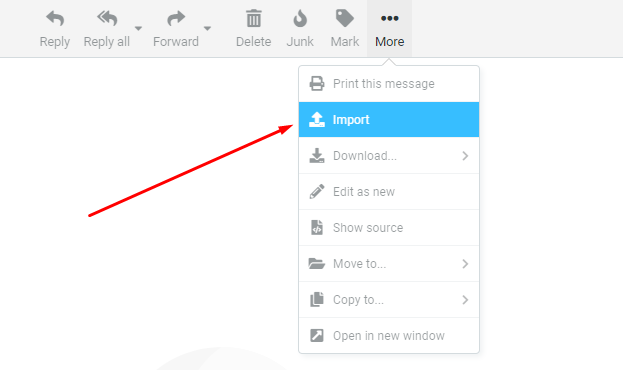
- Select from your PC messages with .eml extension which you want to import to the server (If you don’t have them yet, read below how to export messages).
Export messages to another server #
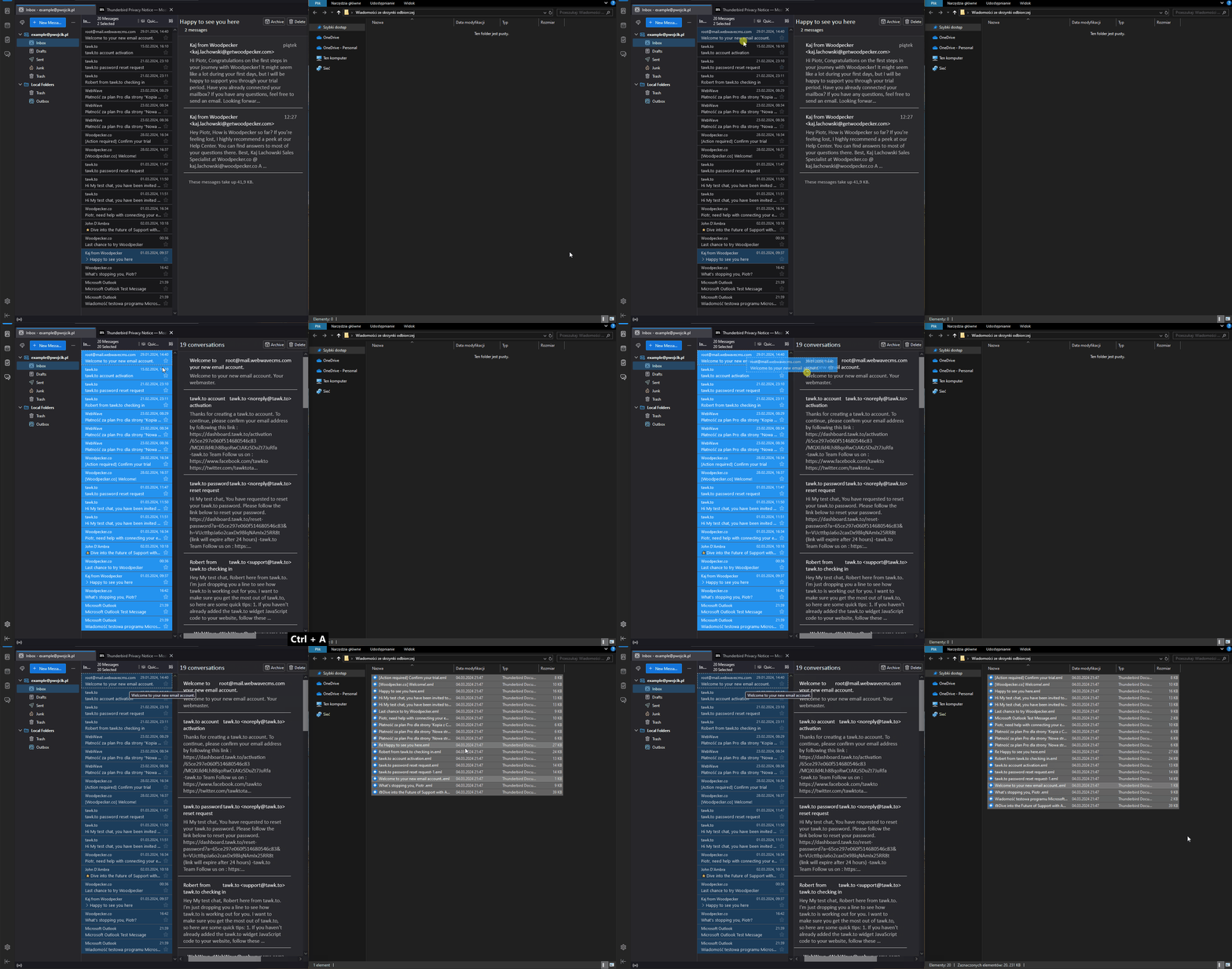
1. Download and install Thunderbird.
2. Connect Thunderbird to your mailbox
3. Select all messages – by clicking on the first message then use the keyboard shortcut: ctrl + a
4. Grab the selected messages and drag them to a folder on your computer.